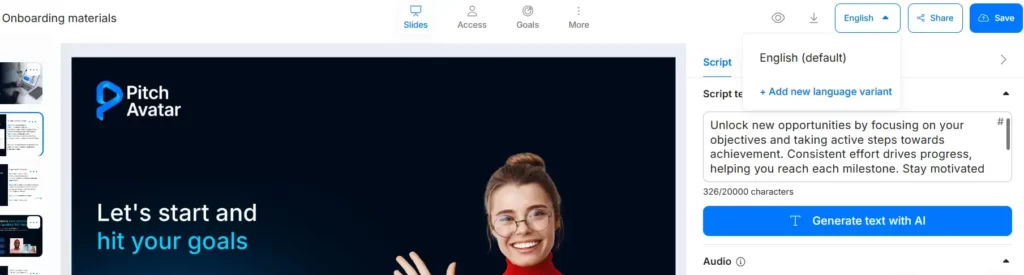
Pitch Avatar allows you to reach a global audience by adding multiple language variants to a single presentation. Viewers can easily switch between these languages while watching.
To add a new language variant:
Open your presentation.
In the language management section, click the + Add new language variant button.
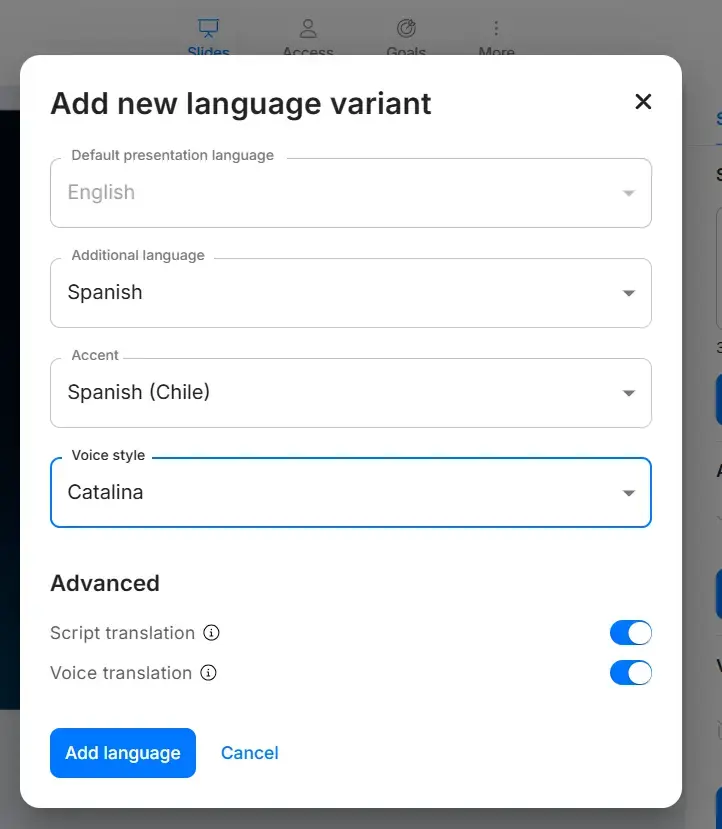
In the “Add new language variant” window you may select: Language, Accent, Voice style, Enable/Disable script translation and voice translation.
Click “Add”. The system will process the request and create a new language tab at the top of your workspace.
Review and Edit: Switch between the language tabs to preview the translated slides or adjust the AI voice and script for each specific version.
Save: Once you are satisfied with the results, your presentation link will automatically include the new language options for all viewers.