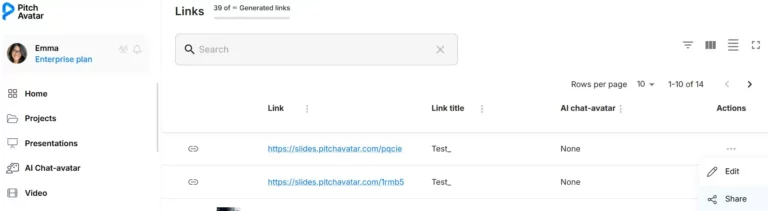
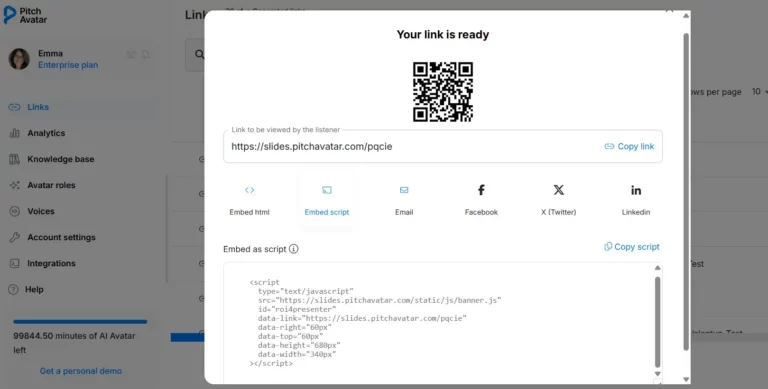
< All Topics Main FAQs How do I turn a presentation link into a pop-up banner for my website? How do I turn a presentation link into a pop-up banner for my website? UpdatedFebruary 24, 2026 Create a pop-up banner:Go to My links in the main menu.Find your link and click the three dots in the Actions column.Select Share.Choose either iFrame or pop-up window embedding.Copy the HTML code for your website. Alternative method:Go to All links in the main menu.Click the three dots next to your link.Select Embed script.Copy the generated code.Paste it into the appropriate widget on your website.When visitors click the banner, they’ll be taken directly to your presentation.