Every presenter has faced this situation: you’ve built a compelling presentation (concise, interactive, with original illustrations and memorable stories) but the number of leads at the end is a fraction of your total viewers. When this happens consistently, the problem usually isn’t your content. It’s how you close.
The last 60 seconds of your presentation create a disproportionate impact on what your audience remembers and whether they take action. This is the “recency effect” in action – people remember beginnings and endings far better than middle content. Yet most presenters default to the same forgettable closing: a slide that says “Thank you for your attention!” with maybe a logo and contact email buried in small text.
That ending wastes the effort you invested in everything that came before it. You can brilliantly conduct a Q&A session, hold attention with interactive slides, and clearly explain how your offering solves your audience’s problems. But a generic goodbye leaves warmed-up viewers bewildered, with no clear signal about what to do next.
What to Include on Your Final Presentation Slide
An effective ending slide should accomplish three things simultaneously: reinforce your main message, make the next step obvious, and make it easy for viewers to act.
Here’s what belongs on your final slide:
- A clear Call To Action – One specific action you want viewers to take (not three or four competing options)
- Important contact information – Not every email address in your organization, but the specific channel tied to your CTA (booking link, demo request form, direct contact)
- A reminder of value – One sentence that emphasizes the benefit of taking action now
- Visual hierarchy – Your CTA should be the most prominent element on the slide, not hidden under your logo
Viewer attention peaks and drops at predictable intervals. Your closing slide appears when attention has already started to wane – which means every element needs to earn its place.
Five Alternatives to the Generic "Thank You" Slide
The traditional “Thank you for your attention!” slide isn’t wrong – it’s just incomplete. If you’re going to thank your audience (which is fine), pair it with something actionable.
Here are five closing slide alternatives that drive measurably better outcomes:
1. The Direct CTA Slide
Best for: Sales presentations, demos, product pitches
Example: “Ready to see this in action? Book your demo → [booking link]”
This slide states exactly what you want the viewer to do and makes the process as simple as possible. No ambiguity, no conflicting demands.
2. The Next Steps Slide
Best for: Complex B2B sales, multi-stage buying processes
Example: “Your next steps: 1) Download the ROI calculator, 2) Schedule a technical walkthrough, 3) Review pricing options”
This works when your audience needs a clear roadmap rather than a single immediate action.
3. The Resource Slide
Best for: Educational webinars, training sessions, thought leadership
Example: “Get the full guide: [link] | Watch related session: [link] | Join our community: [link]”
Provide 2-3 valuable resources that extend the presentation’s value. Each link should lead to a place where you can continue the relationship.
4. The Question Slide
Best for: Live presentations, interactive sessions
Example: “Questions? Drop them in chat now, or book 15 minutes with me: [scheduling link]”
This explicitly signals the Q&A moment while providing an async option for viewers who won’t ask publicly. For more on structuring your question segment, see how the 10/20/30 presentation formula allocates time for audience interaction.
5. The Personalized CTA Slide
Best for: One-to-one sales outreach, account-based marketing
Example: “[First name], based on what you shared about [specific pain point], here’s what I recommend: [personalized next step]”
When you’re sending presentations asynchronously to individual prospects, personalizing the closing slide for each recipient dramatically improves response rates. Learn more about what should be included in personalized online content.
How to End with a Strong Call-to-Action
The difference between an effective closing CTA and one that gets ignored comes down to specificity, friction, and value alignment.
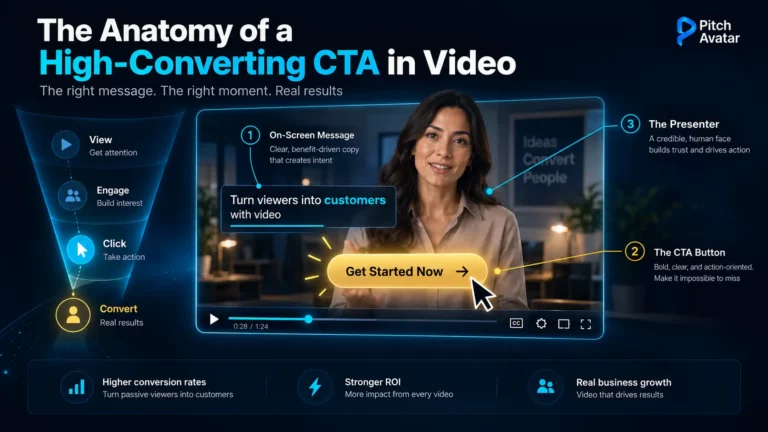
Make it specific: “Contact us” is not a CTA. “Schedule your 15-minute demo for next Tuesday” is. The more concrete the action, the higher the completion rate.
Reduce friction: Every click, form field, or decision point between your CTA and completion reduces conversions. Embed scheduling links directly in your slides. Use single-field forms. Make the path to “yes” as short as possible.
Align value to urgency: If you’re asking someone to act immediately, give them a reason. Limited-time discounts, bonus resources for early action, or exclusive access all work – but only if they’re genuine, not manufactured scarcity.
According to research on conversion optimization, presentations that end with one clear, low-friction call-to-action generate approximately 27% more leads than those with generic closings or multiple competing CTAs. The key is singular focus: decide what the one most valuable action is for your audience, and design your entire closing around making that action easy.
Ending Slides for Video and Asynchronous Presentations
When you’re not presenting live, your ending slide has to work harder. There’s no opportunity to read the room, adjust your energy, or answer clarifying questions in the moment. The slide itself (and what you say over it) has to do all the work.
This is where video presentations have a structural advantage over static decks. With AI-powered video presentations, you can deliver a personalized closing message that maintains consistent energy and clarity, whether the viewer watches at 9 AM or 9 PM, whether they’re your first prospect of the day or your hundredth.
For async presentations, your ending should include:
- Explicit time framing – “The next step is to schedule a 15-minute call this week” (not “reach out when you’re ready”)
- Multiple contact pathways – Booking link, email, and LinkedIn – so viewers can choose their preferred channel
- A reason to act now – What happens if they book this week vs. next month?
- A visual reminder of value – One bullet point or stat that reinforces why this is worth their time
AI Avatars can deliver your closing message with the same conviction at scale. Instead of recording 50 versions of the same pitch with minor personalization tweaks, you can generate personalized video endings where the avatar addresses each prospect by name and references their specific use case. The efficiency gain isn’t just operational – it’s a conversion advantage. For practical techniques on maintaining audience attention through your close, see our guide on how to attract and retain an audience in online presentations.
Five Presentation Ending Mistakes to Avoid
Even when you know what works, it’s easy to fall into patterns that undermine your closing. Here are the most common mistakes:
1. Ending on the Q&A Slide
If you open the floor to questions and then end the presentation immediately after, the last thing your audience sees is… whatever the last question happened to be. That’s not strategic. Always have a closing slide after Q&A that restates your CTA and key message.
2. Including Too Many CTAs
When you ask your audience to “download the whitepaper, schedule a demo, subscribe to the newsletter, and follow on LinkedIn”, you’re asking them to do nothing. Pick one primary action. Everything else is noise.
3. Using Tiny Text for Contact Information
If your email address is in 14-point font at the bottom of the slide and your viewer is on a phone, they’re not typing that out. Make contact details scannable or, better yet, clickable.
4. Letting the Slide Do All the Talking
What you say during the closing slide matters as much as what’s on it. Verbally reinforce the value of taking action. Use confident, direct language: “The best next step for you is…” not “If you’re interested, maybe you could…”
5. Forgetting to Optimize for Mobile and Async Viewing
More than half of presentation views now happen on mobile devices or asynchronously. If your CTA requires opening a separate browser tab, typing a URL, or filling out a long form, you’ve already lost them. Embed links. Use QR codes. Make it one-tap easy.
What to Say When Ending Your Presentation
The words you use in the last 30 seconds set the tone for whether someone acts. Here’s a simple three-part verbal closing structure:
- Restate the main benefit (one sentence)
“We’ve covered how [your solution] helps [audience] achieve [specific outcome] without [pain point they want to avoid]”.
- Bridge to the CTA (one sentence)
“The best way to see if this fits your process is to [specific action]”.
- State the CTA with confidence (one sentence)
“Click the link on this slide to book 15 minutes with me this week, and I’ll walk you through exactly how this works for your team”.
Notice what’s missing: hedging language like “if you’re interested” or “feel free to reach out”. Confidence in your closing signals that the action you’re suggesting is the obvious next step, not an imposition. To master the delivery side of your closing, our guide on how to win over your presentation audience covers the engagement techniques that make endings land.
Making Your Ending Work Harder
The optimal presentation ending isn’t a template – it’s a strategic decision based on your audience, your goal, and your distribution channel. But the principle is consistent: your conclusion should make one thing unmistakably clear and unmistakably easy.
For live presentations, that means planning the last 2-3 minutes as deliberately as your opening hook. For async and video presentations, it means ensuring your ending message maintains energy and clarity regardless of when or where it’s viewed.
When you replace the generic “Thank you for your attention!” slide with a closing that asks for a clear, valuable action, conversion rates increase by roughly 27%. That’s not a marginal improvement – it’s the difference between a presentation that gets viewed and a presentation that drives pipeline.
Good luck, successful presentations, and high conversions.