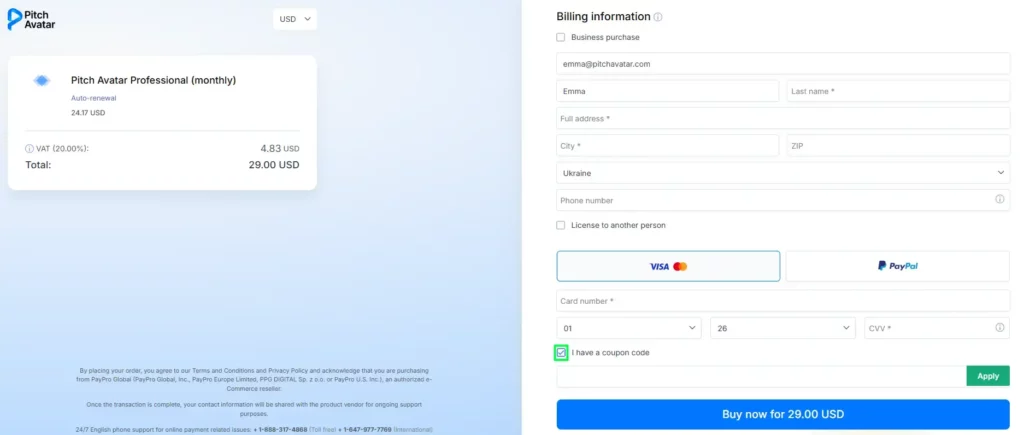
< All Topics Main FAQs How can I use or apply my coupon code? UpdatedMarch 19, 2026 If you have a coupon code, you can easily apply it during the checkout process. Go to the checkout page and fill in all the required information. Find and enable the checkbox “I have a coupon code”. Once enabled, a new field will appear. Enter your coupon code into the provided field. Click the green “Apply” button to activate your code. After applying the coupon code, the discount will be reflected in your total amount.