







AI Voice cloning

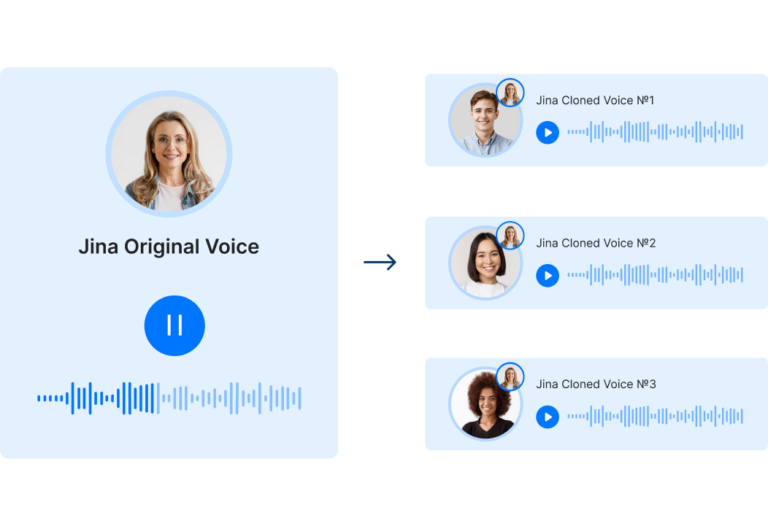
Clone your voice once. Scale every revenue conversation.

Deliver consistent, personalized video messages without re-recording. Set up your voice in minutes, then deploy it across outreach, product demos, and onboarding with full brand control.

Re-recording every video is killing your pipeline

You have a pitch that works. But every time you need it for a new prospect, a new market, or an updated product, someone has to sit down and record it again from scratch. That’s not a content problem. That’s a scaling problem.

  • Your SDRs spend 30–40 minutes on a “personalized” video that could have been generated in two. That time comes out of prospecting.
  • Your best demo video starred a rep who just left. Now you’re re-recording from zero – inconsistent tone, inconsistent brand, inconsistent results.
  • You want to launch in German, French, and Spanish. Instead you’re coordinating three narrators and waiting two weeks.
  • Your CS team sends the same static onboarding walkthrough to every customer: no personalization, no CTA, no way to know if anyone watched.
  • You’ve tried voice cloning tools before. They gave you an audio file with nowhere to go no video, no CTA, no CRM. Just a clip you have to wire into five other tools manually.

The problem isn’t creativity. It’s infrastructure.

Turn your cloned voice into a complete localization workflow

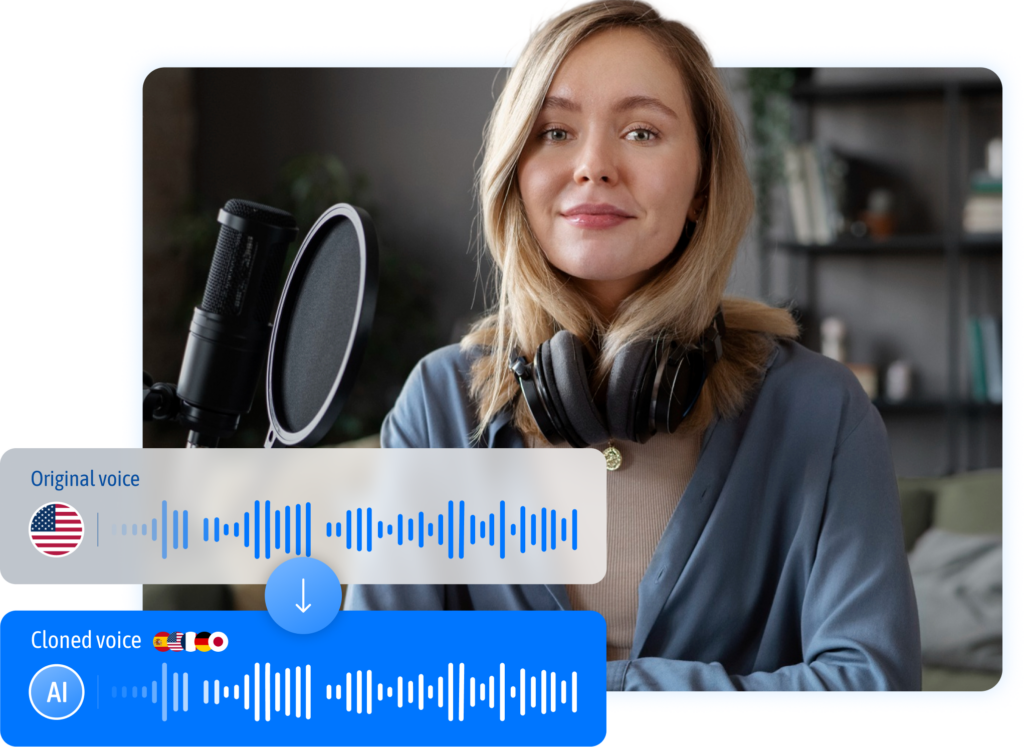
Pitch Avatar is not a generic voice cloning tool. You clone your voice once, and it applies automatically across every language version of every asset you already have – PPTX, PDF, MP4, YouTube links.

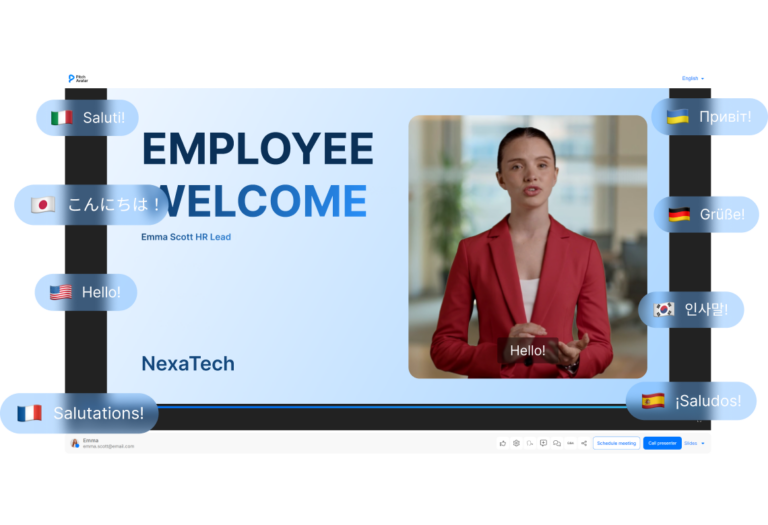
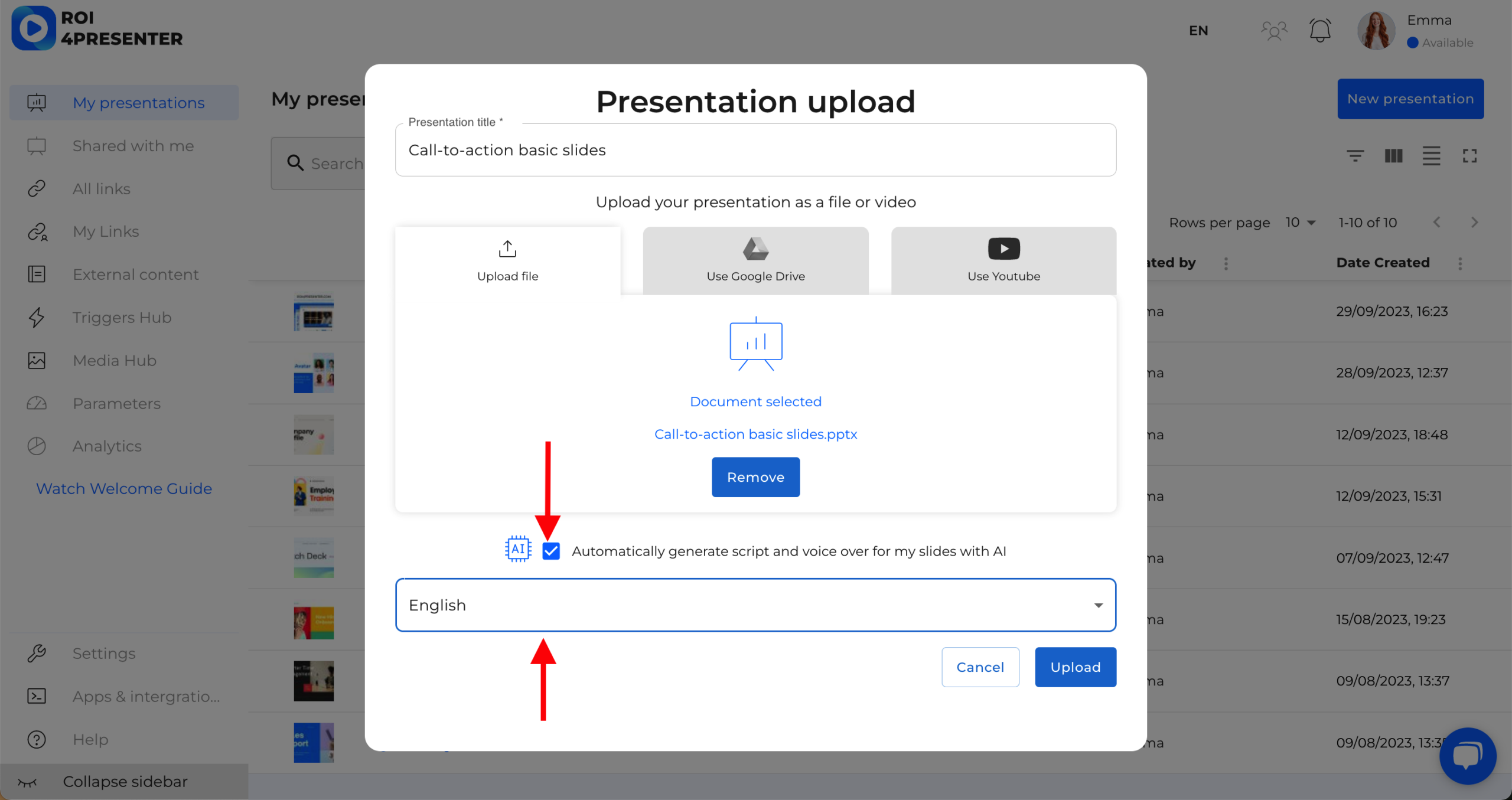
Upload your existing asset, select target languages, and get a fully dubbed, localized version with your cloned voice in minutes. No studio booking. No agency brief. No re-recording session. The same voice carries through every market, every time.

Every localized video is interactive, not passive. Embed meeting booking, demo requests, and lead capture directly inside the video player  so prospects in any language can take action without leaving the content.

Deliver messages across global audiences

One Voice, 76+ Languages

Your cloned voice can deliver your pitch in over 76 languages without losing the tone and cadence that makes it recognizable. Localize outreach, demos, and onboarding content for any market without hiring regional voice talent.

Interactive CTAs Inside Every Video

Embed meeting booking links, lead capture forms, qualifying questions, and demo requests directly inside your content. Your content doesn’t just inform – it converts, and you can track exactly what drove each action.

Your video is always up to date

Edit Script, Re-Render Instantly

When your messaging changes, update the script and regenerate the video – no re-recording required. Your voice model stays consistent while you iterate on positioning, pricing, or product details as fast as your team moves.

CRM-Connected Distribution and Analytics

Connect Pitch Avatar to HubSpot, Salesforce, or Zapier so every view, CTA click, and meeting booked maps back to a contact and campaign. You get engagement data that ties directly to pipeline, not just vanity metrics.

How it works

Step 1- Record or upload your voice sample
Step 2- Generate your AI voice model
Step 3- Choose voice for AI Avatar and voice-over
Step 4- Share link and track results
Step 5- Update the script when your message changes

Step 1: Record or upload your voice sample

Find a quiet room, use a decent microphone, and record yourself speaking naturally for at least one to two minutes. Upload the file. Pitch Avatar – supported formats include common audio and video files.

Step 2: Generate your AI voice model

Pitch Avatar processes your sample and builds a reusable voice model that captures your tone, cadence, and speaking style. The model is ready to use across any script you write – and it stays in your account so you can re-use it for every campaign, update, or language version you need going forward.

Step 3: Choose voice for AI Avatar and voice-over

Choose an Avatar from the library or upload your own photo, then type or paste your script. Pitch Avatar generates a talking-head video with your cloned voice delivering the message. Add interactive elements like a meeting booking CTA or a qualifying question.

Step 4: Share link and track results

Share your voice-cloned video as a link in email, LinkedIn, or a CRM sequence – or embed it on a landing page or product page. Pitch Avatar logs views, watch time, and CTA conversions back to your HubSpot or Salesforce records so you can see exactly which content is driving replies and meetings.

Step 5: Update the script when your message changes

Edit the text, adjust the language, or swap in a new CTA – then regenerate the video.

Use cases

corporate learning

Training & onboarding

Record your expertise once. Your cloned voice delivers consistent training across teams and languages.
 
sales enablement

Sales outreach

Clone your voice once. Send personalized video messages to hundreds of prospects without recording each one.

pitch avatar for marketing

Marketing

Turn one video into multilingual campaigns. Your cloned voice speaks to every market, on-brand every time.

Frequently Asked
Questions

A short sample of around 30 to 60 seconds works for a functional voice clone, but two to three minutes of clean audio produces noticeably better naturalness and intonation accuracy. The most common failure mode is not sample length – it’s recording quality. Background noise, music, or inconsistent pacing will reduce realism regardless of how long the sample is. Record in a quiet room, speak at your natural pace, and avoid heavy processing or compression on the audio file before uploading.

You can only clone a voice with explicit consent from the person whose voice is being cloned — your own voice, an authorized team member, or approved voice talent. Pitch Avatar’s terms of service prohibit cloning voices without consent, and enterprise accounts include consent verification steps built into the voice creation workflow. Cloning a public figure, customer, or third party without authorization is not permitted and is a misuse of the platform. If you are managing voice assets across a team, role-based permissions let you control who can create, approve, and publish cloned voices.

Yes – Pitch Avatar supports AI voice cloning across 76 languages, and the system retains the core characteristics of your voice (pace, tone, and cadence) when generating content in a new language. That said, accent retention varies: your voice will sound recognizably similar, but native speakers will notice it is AI-generated in languages that differ significantly from your source recording language. For most B2B use cases – product demos, onboarding, outreach – the quality is more than sufficient and far faster than hiring per-market voice talent.

Yes, you can export generated audio files from Pitch Avatar for use in external tools, slide decks, or video editors. Export availability and format options depend on your plan tier — self-serve plans include standard exports, while enterprise plans unlock higher-quality formats and bulk export options. The cloned voice model itself stays within the platform and is not transferable to third-party AI systems.

Yes, you can use the free trial plan, but there are limitations compared to paid plans.

ai avatars for entertainment and media industry

Synthetic Stars: How AI Avatars Are Reshaping the Entertainment & Media Industry

TL;DR: AI avatars have moved from behind-the-scenes recommendation systems to starring on-screen.They enable 24/7 newsrooms, virtual influencers with millions of …

jobs automation, and human-ai future

Do People Need Protection from AI? Jobs, Automation & The Human-AI Future

TL;DR: The debate over AI and jobs is usually framed as alarmists vs. optimists, but both sides miss the middle …

Pitch Avatar at HR Tech Europe 2026 | Amsterdam

Pitch Avatar will attend HR Tech Europe 2026 on April 22-23 at RAI Amsterdam, joining senior HR leaders focused on …

Clone your voice once. Run personalized conversations in multiple languages, across every channel.