
< All Topics
Updated
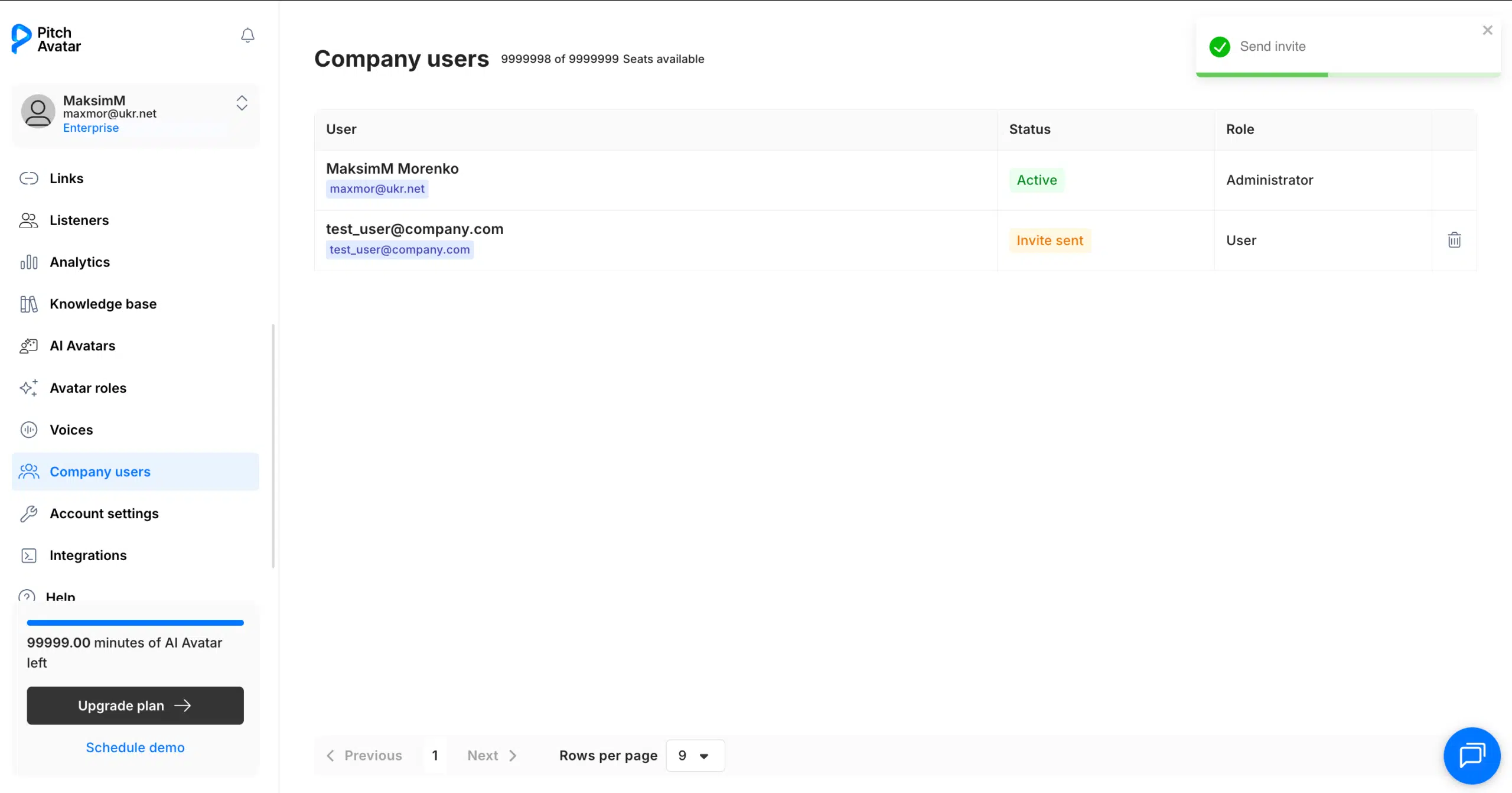
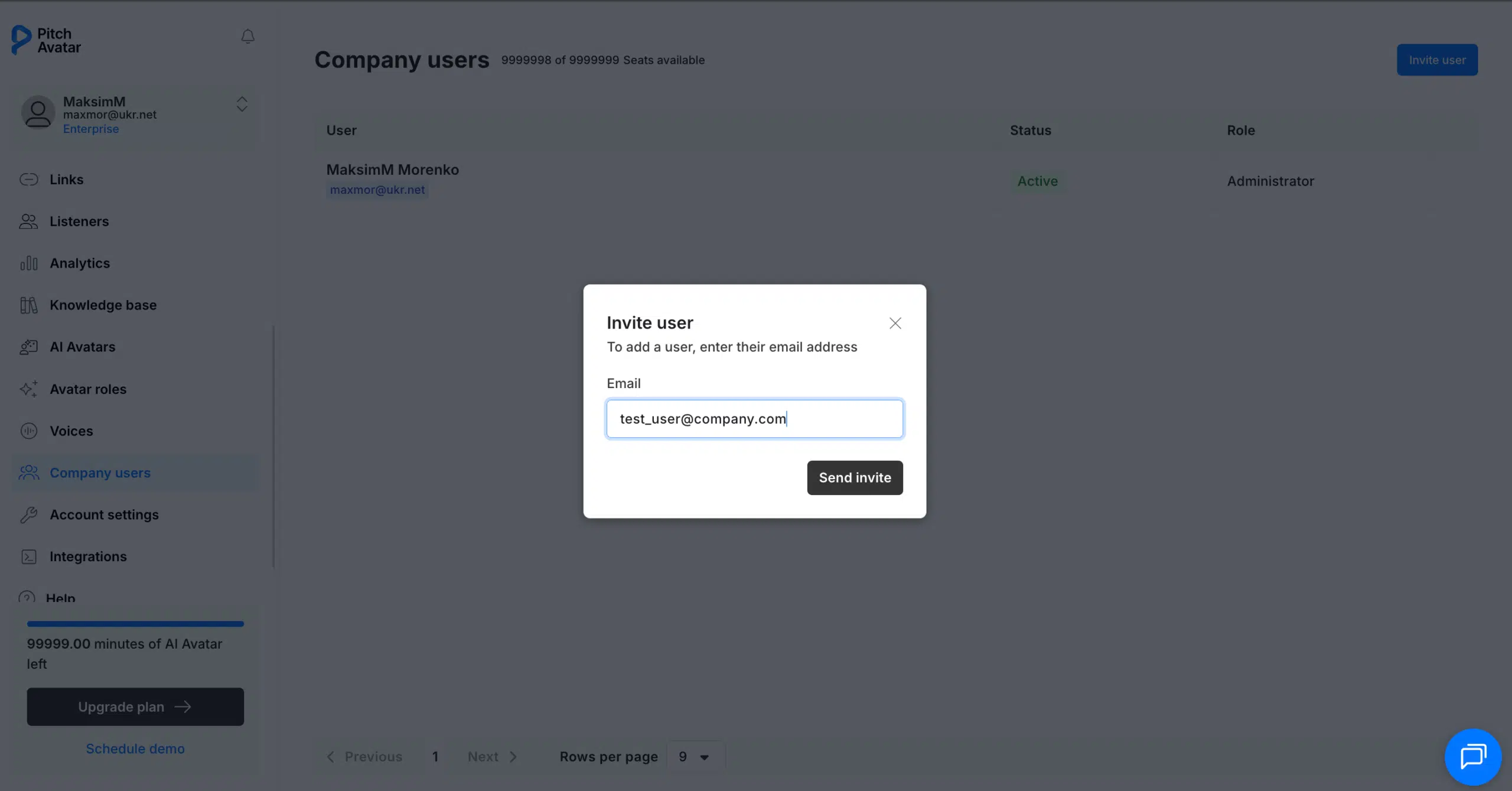
- Go to Company users in the left-hand menu.
- Click Invite user in the top-right corner.
- Enter the new user’s email address.
- Click Send invite.
- The invited user will receive an email with an invitation link.
- The user must click the link in the email and follow the instructions to complete registration.
Important
-
The invited email address must not already be registered in Pitch Avatar
-
The user must register through the invitation link to be automatically connected to your company account
-
If the user registers independently without using the invitation link, they will have a separate account that is not linked to your company
-
Once the invitation is sent, the user’s status will appear as Invite sent in the Company users list
Table of Contents