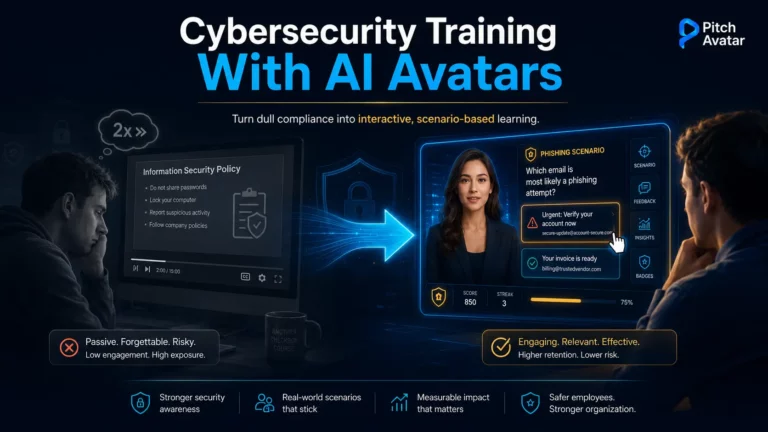
Let’s be honest: when an employee gets the notification that it’s time for annual information security training, somewhere a system administrator is quietly shedding a tear. They know how this goes – they mute the tab, run a video in the background at 2x speed, copy the final test answers from the “management secret” team chat, and forget about it all within five minutes. The only visible result is (maybe) a few people updating their password from SecreT2025! to SecreT2026!.
Traditional security awareness training has become a bureaucratic checkmark. Companies spend a fortune developing or purchasing ready-made courses, HR departments spend weeks trying to complete them, and employees pretend to listen attentively while expressing a mixture of irritation and dissatisfaction. The result is sheer expense and mutual frustration, and the threat landscape is changing far faster than manuals can be written.
Using artificial intelligence in learning and development (AI L&D) changes that. Generative AI lets you rebuild the learning process from scratch, turning boring slides and tedious tests into something interactive. The catalyst for that shift is AI avatars that can speak your employees’ language – quite literally. This guide explains why outdated training methods are ineffective and how to create cybersecurity training programs using AI avatars that people actually watch.
Lazy Brain and The Price of Carelessness
Before we get into the technical details, here are a few cold facts that will sober you up faster than your morning espresso.

According to IBM’s annual Cost of a Data Breach report, the average cost of a data breach globally in 2025 will reach $4.44 million, with the figure rising to $10.22 million in the United States. The worst part is that most of these incidents are not the work of Matrix-level hackers. People open the door themselves by making simple mistakes or being careless.
Verizon confirms the pattern year after year. Its Data Breach Investigations Report found that approximately 60% of breaches are due to human error – clicking a phishing link, sending a confidential file to the “wrong” recipient, or downloading an “essential disk cleaning utility” that turns out to be malware.
Why do people keep making these mistakes after being told a hundred times not to? Because basic security training is usually delivered like a lecture by a half-asleep professor hearing his own voice – much like how most of us remember our school lessons. And how much of what we learned in school was actually remembered? The human brain is a lazy machine: if information doesn’t evoke emotion, it goes into the trash bin. Anything that isn’t related to survival or reward simply doesn’t attract attention. This is the real problem that effective security awareness training must solve: not knowledge, but memory and habits.
Changing the Game With AI Avatars
If you want employees to actually adopt digital hygiene rules, you need to change how you deliver them. The most practical way to do that is with an AI avatar platform, Pitch Avatar, designed to create and customize digital presenters, speakers, and interactive chat-avatars. Instead of hiring voice actors, renting a studio, and spending weeks editing videos that will be outdated by the next quarter, you outsource much of that work to AI.

The key feature is to transform a simple text script and a set of slides into a realistic interactive video. The digital presenter speaks and acts like a real person, with an emotional delivery you set yourself. For cybersecurity specifically, three advantages matter most:
- Threat-response speed. A new phishing wave mimicking your internal CRM notifications? You don’t need to reshoot a course. You edit a couple of paragraphs in the script, and within minutes your AI avatar is warning the team about the new danger.
- Hyperlocalization. For an international team, training everyone in “universal English” loses people from the start. AI avatars can be created with voiceovers in multiple languages, with clear pronunciation, while the presenter maintains natural facial expressions and gestures.
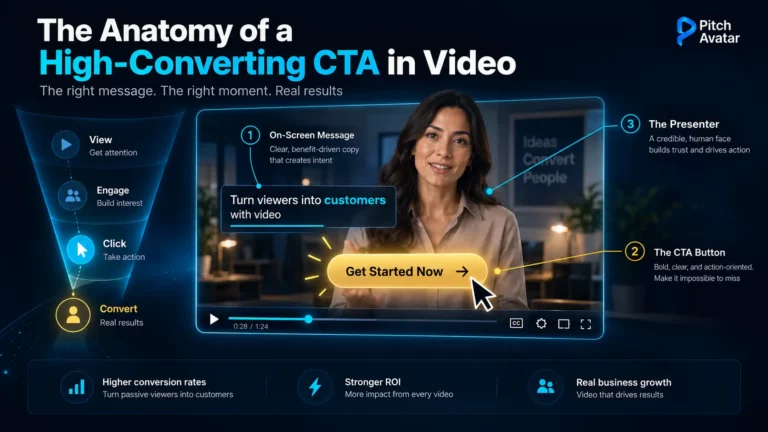
- Engagement through interaction. This isn’t a talking head you’re ignoring. You add interactive elements directly to the narrative: the presenter asks a question, prompts the viewer to choose a correct action, and continues the story based on what they clicked — acting as a personal interactive mentor.
How to Build Next-Gen Cybersecurity Training
Here’s the practical part. How do you develop a course with an AI avatar that people want to watch? Forget about long, linear lectures. Create a system based on dynamic content principles.

1. Shift to microlearning
No one will spend forty minutes straight studying password creation rules. Break the ocean of knowledge into ultra-short blocks of two to three minutes – one video, one idea or threat.
Make the first mini-episode about “everyday” phishing in messengers. A friendly colleague’s avatar might start with, “Hey, remember that guy from logistics who sent me a link to ‘office party photos’ yesterday? No, it wasn’t him.”. It attracts attention because it models a real, recognizable scenario instead of an abstract rule.
2. Personalize content by role
The main drawback of traditional courses is their universal content. An accountant, a developer, and a sales rep face different threats – or the same threats in different disguises. Sales reps are receiving Telegram messages from fake “clients” containing malicious PDF files. Developers obtain infected libraries from open source repositories. Accountants receive fake invoices from the “tax office”.
With an AI avatar, you can create one basic instructor character and generate multiple scenarios. Developers see an avatar that speaks their language and demonstrates examples with commits and API keys. The sales team receives a proven algorithm for checking email attachments without losing leads. Value increases because people see answers to their actual daily problems – the same role-based personalization principle behind modern onboarding.
3. Add interactive branches and simulations
Use clickable elements to turn passive viewing into a quest. At a key moment the avatar stops, and two emails appear on screen – one real, one cleverly fake.
An avatar says: “The boss wants this invoice paid urgently while he’s at the airport. What do you do? Click the option that seems safe”. If you choose the wrong option, your avatar won’t just show “Error”. It explains, with some irony, why the company just lost a hypothetical million, and what red flags in the subject line gave it away. Here’s how phishing training goes from a small step to a big one.
4. Ensure continuous updates with analytics
A traditional LMS shows one metric: Completed/Not Completed. Pitch Avatar provides detailed engagement analytics. You can see at what second of a video employees most often lose interest and become distracted.
If the retention rate drops sharply during the two-factor authentication block, it means the script is too boring or the avatar’s tone is inappropriate. Rewrite the text, add a joke, change the delivery, or insert a short survey. Security training is a living product that requires regular updates.
A Quick Guide: Launching Your First Course
Here’s a checklist for your first interactive security lesson with Pitch Avatar. It’s easier than it looks and doesn’t require any video editing skills.
- Prepare the groundwork. Write a short, dynamic script and format it like a presentation – one slide for each key point or threat example. Avoid jargon (“In order to enhance general safety, it is prescribed…”). Write as if you were telling a friend.
- Upload the presentation. The platform recognizes your slides automatically.
- Set up your speaker. Pick an avatar that matches your corporate culture – for example, a respectable CISO in a suit or a relaxed development team leader in a hoodie. Use the avatar library or create your own from a photo or video, then customize the voice, language, and speech rate.
- Add interactive elements. Place CTA buttons, links to internal policies, or survey triggers directly in the video stream.
- Generate a link and share it. No gigabyte exports. People open the course in any browser, and you receive real-time viewing statistics.
For teams standardizing this across the employee lifecycle, the same approach extends naturally to AI onboarding agents and broader training automation.
Want Results? Stop Being Boring

Cybersecurity isn’t really about software or firewall configs. It’s about rules and reflexes – and they’re not formed through monotonous narration and text slides. If your training looks like a punishment for unruly employees, it will never work.
AI tools transform corporate routine into an engaging, gamified series. Give employees content that respects their time, entertains them, and protects the business at the same time. Spending half an hour with a smart AI avatar is much better than explaining to investors where their client data has gone and why every screen displays the message “Your files are encrypted”.
Ready to build security training people actually watch? Book a demo or Start free.
Frequently Asked Questions (FAQ)
It’s security awareness training delivered by a lifelike, AI presenter built from a text script and slides. The avatar voices the material, asks questions, and branches the lesson based on the viewer’s choices, transforming a static course into an interactive experience that can be updated in minutes.
It targets a real weakness of traditional learning methods: knowledge retention. By using short, emotionally engaging, scenario-based lessons and interactive solutions, it helps employees build reflexes rather than simply memorizing rules. Engagement analytics then show where people are losing interest so you can fix those gaps.
A traditional LMS tracks course completion and little else. Pitch Avatar adds per-slide engagement analytics, interactive branching, and instant script edits – so your course becomes a living product you continually improve, not a file you republish once a year.
Yes. You can add voiceovers in multiple languages with natural pronunciation while maintaining the presenter’s facial expressions and gestures, making training in a distributed team practically feasible.
Because the video is based on a script, you can edit a few lines and regenerate it – no reshoots required. A response to a new type of phishing attack can be published in minutes, rather than the weeks required for a traditional production cycle.
Each module should be two to three minutes long, with each video focusing on one topic or idea. Microlearning fits attention spans and lets you assign only the modules needed for a specific role.
No. Courses open via a shareable link in any browser, and you receive real-time viewing and engagement statistics without exporting large video files.